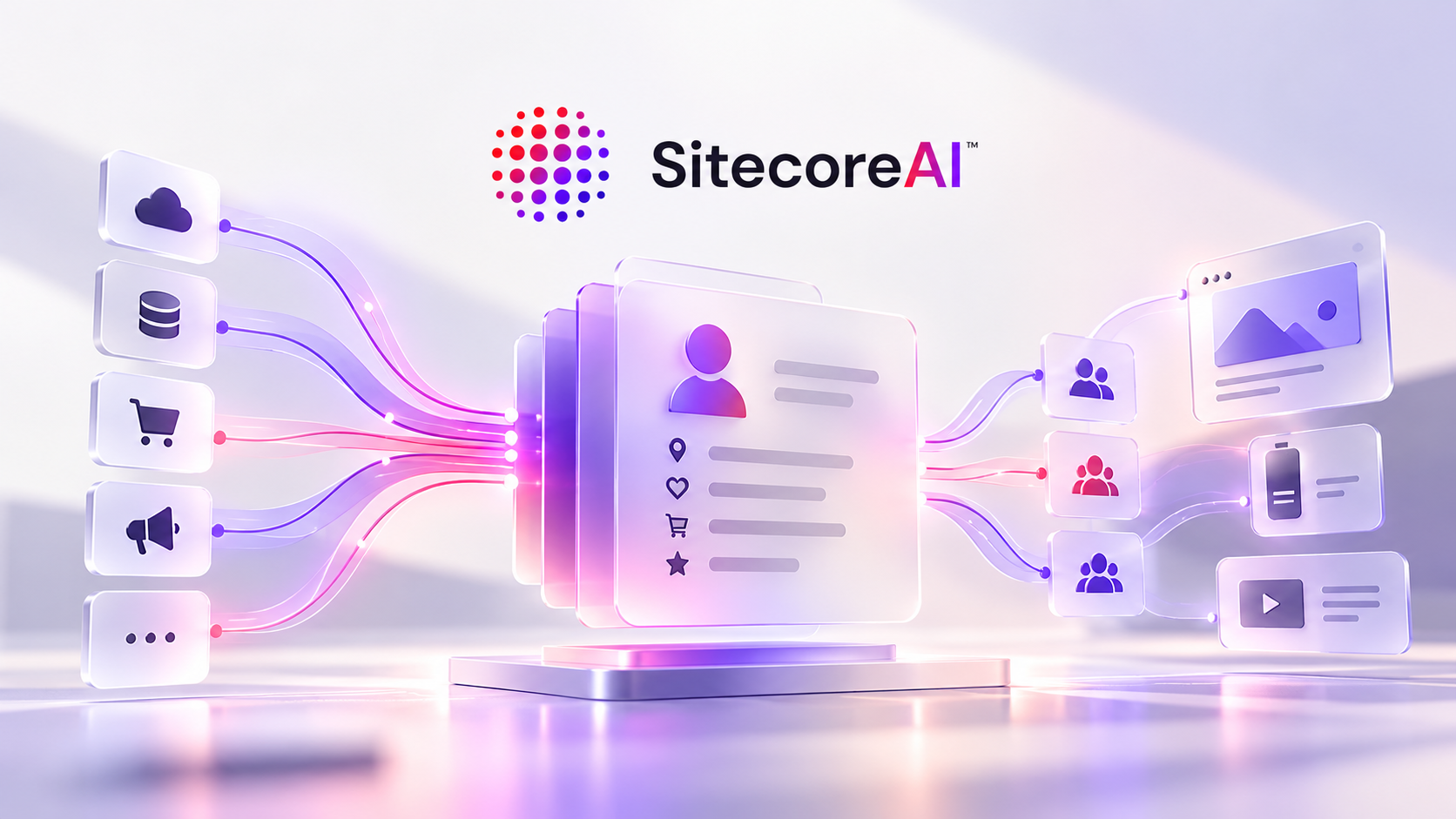

SitecoreAI shipped a set of changes on the audience side of the platform that are easy to read as unrelated improvements. Profiles can now carry custom attributes through published schema extensions, the Profile Import API can delete profiles in bulk, Audience builder gained an AI assistant and finer limits on event and session rules, a Personalization insights dashboard shows how experiences are being delivered, and headless and triggered personalization take profile data to applications and systems outside Sitecore. Read together, they give the customer profile what a data contract needs, a schema you publish, a write path, a delete path and a way to see whether the consumers downstream are getting what they expect.
The previous post covered the other half of the same changelog, what agents read about the brand. This one is about what the platform knows about the customer, and it is the scenario I described in May when comparing Sitecore CDP with a standalone CDP, where CRM data needs to drive web personalization. Until now that meant either a connector or living with what the web session could tell you. With these releases there is a native, documented path, and it comes with design constraints worth knowing before you build the export job.

By data contract I mean more than a schema. It is the agreement between the systems that produce data and the ones that consume it, covering what can be written, how writes and deletes behave, what happens to consumers when the schema changes, and who owns each side. The October releases put most of those pieces in place for the SitecoreAI profile.
What shipped
- Extend customer profiles using profile schema extensions (2 October). You define custom attributes under Performance > Settings > Profile schema > Extensions, as simple values or arrays of objects, publish the schema, and use the extensions as audience criteria.
- Delete profiles using the Profile Import API (1 October). A batch uploaded with
operationType=DELETEpermanently deletes the matching profiles, for privacy and data-subject deletion workflows. - New Audience builder AI assistant and rule limit controls (2 October). You describe an audience in natural language and get editable rules, and event rules can now count matches within a single session or across all sessions.
- Personalization insights dashboard (5 October). A site-wide view of reach, default and error rates, zero-reach experiences and delivery health.
- New headless and triggered personalization capabilities (8 October). Headless personalizations and A/B/n tests (up to six variants) return JSON to your own applications, and triggered personalizations send a payload to a webhook or an email provider when a configured guest event occurs.
- Page builder (1 October). A/B/n variants can reuse a container's content items instead of creating new versions, and personalization status indicators now reflect what is live in production after publish.
Most of these carry the phased rollout note, so your tenant may not have all of them yet.
A schema you publish
A profile extension has a key, a type, and optionally a description, pattern, examples and a required flag, and nothing is live until you click Publish Schema. The documentation is explicit about the compatibility constraints that follow. The key can't be changed after creation, because it identifies both the stored data and the audience criteria that reference it. Changing a type or removing enum values can affect existing profile data and audience definitions, and deleting an extension can break the audiences and personalization experiences that use it.
That makes publishing the profile schema a deployment, with consumers that will break if you change it carelessly. Once an extension is referenced by live audiences, changing it is a compatibility event rather than a settings change, and I would treat it the way a team treats its content model. Name keys knowing they can't be renamed later, agree on types with the team that owns the export job, and keep the schema definition in source control as the reference for review, even though the documented way to apply it today is the UI. That contrast stands out after September's Content Types and Components APIs, which moved content schema into the automation layer. I haven't found a documented API for the profile schema, so for now its change control is a manual process you have to define yourself.
Creating an extension also doesn't populate anything. Existing profiles get no value for the new attribute until you import one, which matters later when an audience built on that attribute delivers only default experiences.
The profile is a projection, not a record
Values arrive through the Profile Import API as JSONL batches (UTF-8, up to 100 MB per file). The API is asynchronous, an upload returns 202 Accepted with the batch QUEUED, so what SitecoreAI receives is a periodic projection of your CRM state, and the update semantics shape how you model it. Objects are deep-merged, fields you omit are preserved, a null at the top level of contact or extensions removes the field, and arrays are replaced whole, never merged. Arrays inside extensions must hold flat objects with scalar properties only, up to 100 items per array.
The documentation's own example stores an order history as an orders array, which is fine to explain the format, but a cap of 100 items replaced on every write tells you what the profile is for. It is a projection built for segmentation, so it should hold what an audience rule needs (a tier, a lifetime value, a last order date, the handful of open orders). Teams that turn the profile into a shadow copy of the CRM will hit the cap, and pay for it in export size on every run. Put in the profile what a decision needs, and keep the history in the system that owns it.
A few processing details matter for the export job design:
- Record order within a file is not preserved, so two records for the same customer in one file have no guaranteed winner. Collapse changes to one record per profile before writing the file.
- Identifiers only resolve when their provider matches an identity rule that already exists in the environment, anything else is ignored. If a record's identifiers resolve to more than one profile, it fails with
INCONSISTENT_IDENTIFIERS, and those failures are a useful signal about identity quality upstream. - Only one batch can be queued or running per environment, and a second upload gets a
429. In production, uploads must go through the API with a static API key, the UI upload is limited to non-production.
Deletion shares the write path
Deletion uses the same endpoint with operationType=DELETE and records of type PROFILE_DELETION. Each record needs only one identifier that matches the profile, deletion is permanent, and the results distinguish DELETED from NOT_FOUND, with deletedAt, deletedBy and the role used (cdp.batch:w in the documented example). That output is the evidence a privacy team will ask for, so keep the results file with the request it answers.
The design choice I would plan around is that deletion requires the same API key permissions as import. Any credential your nightly import pipeline holds can also delete profiles. API keys don't expire unless you tick the one-year option, and in production only Organization Owners and Organization Admins can create them. Separate credentials per pipeline won't give you least privilege, since the permission is the same, but they do give you attribution in deletedBy and the ability to revoke one pipeline without stopping the other, so I would issue them separately, with expiry, and store them as you would any credential with destructive rights.
The second constraint is the queue. With one active batch per environment, an erasure batch waits behind whatever import is running, which is harmless at small volume and a scheduling problem when a large nightly import overlaps with a regulatory deadline. Give the deletion job its own slot in the schedule rather than letting it compete for the queue.
In the CDP comparison post I said standalone CDPs still give governance teams more surgical control over retention and consent. This release narrows that gap for erasure, which now has a documented, auditable path. It doesn't change the retention side, and the documentation doesn't say whether deletion also removes data from anything downstream of the profile, so verify that with Sitecore before you describe the workflow as complete in a privacy assessment.

Natural language in, rules out
The Audience builder AI assistant takes a description such as "identified profiles from Europe who submitted a form within the last 3 months" and generates rules in the Audience Rules workspace, using profile, session, event or trait attributes. You can edit the rules by hand or keep refining them in the Chat tab, check the estimated audience size, and only then set the audience live. A live audience has to be paused before it can be changed.
The AI produces a structured artifact that a person reviews before it does anything, which is the right place for it. The review is where the second part of the same release matters. Event rules can now carry a limit, with a comparator such as is equal to or is greater than, counted either within a single session or across all sessions. "Visited the pricing page three times" means one thing if the three visits must happen in the same session and another if they can be spread over a month, and "three times" could mean exactly three or at least three. Natural language leaves both open, the rule has to pick, and I haven't tested which interpretation the assistant defaults to. Whoever reviews a generated audience should read the limit and its comparator before reading anything else.
Membership is then evaluated on a schedule and saved on the profile, every 6 hours by default, or every 8, 12 or 24 hours per audience. Combined with the import queue, that sets how fresh a personalized experience can be. A loyalty upgrade written in the CRM at 9:00 reaches a visitor after your export runs, the batch clears the queue, and the next audience refresh picks it up. The refresh doesn't wait for the import, so the alignment of the two schedules matters as much as their length. If an import finishes just after a refresh ran, the new value sits on the profile until the next one, up to the full interval later. None of these waits is necessarily long on its own, and the worst case across them is the number to give the business.
Consumers outside Sitecore
The 8 October release changes who reads the profile. A headless experience defines its API response in JavaScript, and the documented example reads profile.contact.address.city to build the JSON your mobile app or SPA receives. A triggered personalization resolves {{variableName}} placeholders from profile and event data into a webhook body, sent to a CRM, a loyalty platform or an order system. Both read profile fields by name, so the profile now has consumers beyond audiences, written as code and templates that live inside SitecoreAI but serve systems outside it.
That widens what a schema change can break. The documentation warns that deleting an extension can break audiences and personalization experiences, but a field referenced inside response code or a payload template is a string, and I haven't found anything that says SitecoreAI checks those references before you publish a schema change. Until that is confirmed, the inventory of what reads each extension is yours to keep, and it now includes frontend code you don't deploy from Sitecore. The JSON a headless variant returns is also a contract in its own right, with whichever team owns the app. The documented example falls back to 'Unknown' when a value is missing, and that habit is worth copying, since an extension has no value on a profile until the import populates it.
Triggered personalization also changes what deletion covers. A webhook payload copies profile data into another system the moment the trigger fires, and the Profile Import API deletes the profile inside SitecoreAI with no reach into the copies already delivered elsewhere. Every webhook destination becomes part of your erasure workflow, and the authentication you pick for it (the options include no authentication at all) deserves the same review as the API keys on the import side.
The trigger fires on the event, but the values it resolves come from the profile as it stands at that moment, so an attribute that arrives through import is only as fresh as the last batch. If the eligibility conditions evaluate profile attributes directly, which is how the documentation reads, the audience refresh drops out of this path while the import cadence stays in it.
Observability on the delivery side
A contract also needs evidence that the consumer is getting usable data, and the Personalization insights dashboard, which arrived on 5 October, is where that evidence lives for website experiences. It reports personalization reach (the percentage of unique visitors who received at least one personalized variant), and splits deliveries into personalized, default and error rates that add up to 100%. It also lists zero-reach experiences, experiences delivered only as default, and experiences that returned only errors, alongside edge delivery rate and average delivery time.
The default experiences only list is where the earlier sections show up in practice. An audience built on an extension that was published but never populated, or one whose refresh hasn't run since the import, looks exactly like an audience with targeting that is too narrow, every visitor gets the default. The dashboard documentation points you to audience conditions and custom values, which is right, but with schema extensions in play I would add two checks before touching the rules. Did the import populate the attribute, and has the audience refreshed since.
The same week's Page builder fix makes personalization status indicators reflect live production behavior after publish, so the author's view and the dashboard should agree about what is running. Headless and triggered experiences come with their own operational data views, including delivery status and connection health for webhooks, which is where a broken payload after a schema change would show up first.
Where I would not overstate this, I am working from documentation, not from these features under production load, and most of them are still rolling out in phases. Batch processing throughput isn't documented beyond the file size limit and the single active batch, so measure the queue in your own environment before committing to a freshness number.
A contract needs an owner
October gives the SitecoreAI profile a published schema, a write path with defined merge semantics, a permanent delete path and delivery-side observability. That is most of the mechanics of a contract between the systems that write the profile and the audiences, applications and webhooks that read it, and the platform stops there, the governance of that contract (who approves changes, which system is authoritative for each attribute, what freshness you commit to) is yours. With extensions and import in place, audience work in SitecoreAI crosses more clearly into integration engineering, with an export job to maintain and a schema whose changes can break live personalization.
Two questions for your tenant. Who approves a change to the profile schema, given that it can break audiences you didn't build. And how long, end to end, between a change in your CRM and a visitor seeing it, counting the queue and the refresh.
What's next
The share-of-model scoring framework is still next in the series, built on the AI Discovery dimensions from the previous post. If you are planning a CRM-to-profile integration on SitecoreAI and want to pressure-test the schema and the export job before the first import, that is work we do at Altudo.
References
SitecoreAI changelog, October 2026: Profile schema extensions · Profile deletion · Audience builder AI assistant · Personalization insights · Headless and triggered personalization · Page builder
Profile schema and import: Extend the profile data model · Import a batch file · Batch file format
Audiences: AI Assistant · Rule limits · Refresh schedule · Set live
Personalization: Insights dashboard · Headless API response · Triggered webhook action · Triggered conditions
Related posts: Brand context and AI Discovery · Sitecore CDP vs a standalone CDP · Schema management in the automation layer